Reclaim gigabytes on your Mac.
Auger digs deep into your caches, build folders, leftover installers and unused apps, then hands back the space. Every change moves to the Trash, so nothing is ever lost.
Always recoverable
Everything moves to the Trash first. Restore anything, any time.
Private by design
Runs entirely on your Mac. No accounts, no telemetry, nothing uploaded.
Open source, no lock-in
Built on mole, GPL-3.0 licensed. The exact patched source is always one click away.
Universal binary
Native on Apple Silicon and Intel. Fast, lightweight, no dependencies.
Everything you need to get space back.
A focused set of tools instead of one blunt "clean" button, so you always know exactly what's being reclaimed and why.
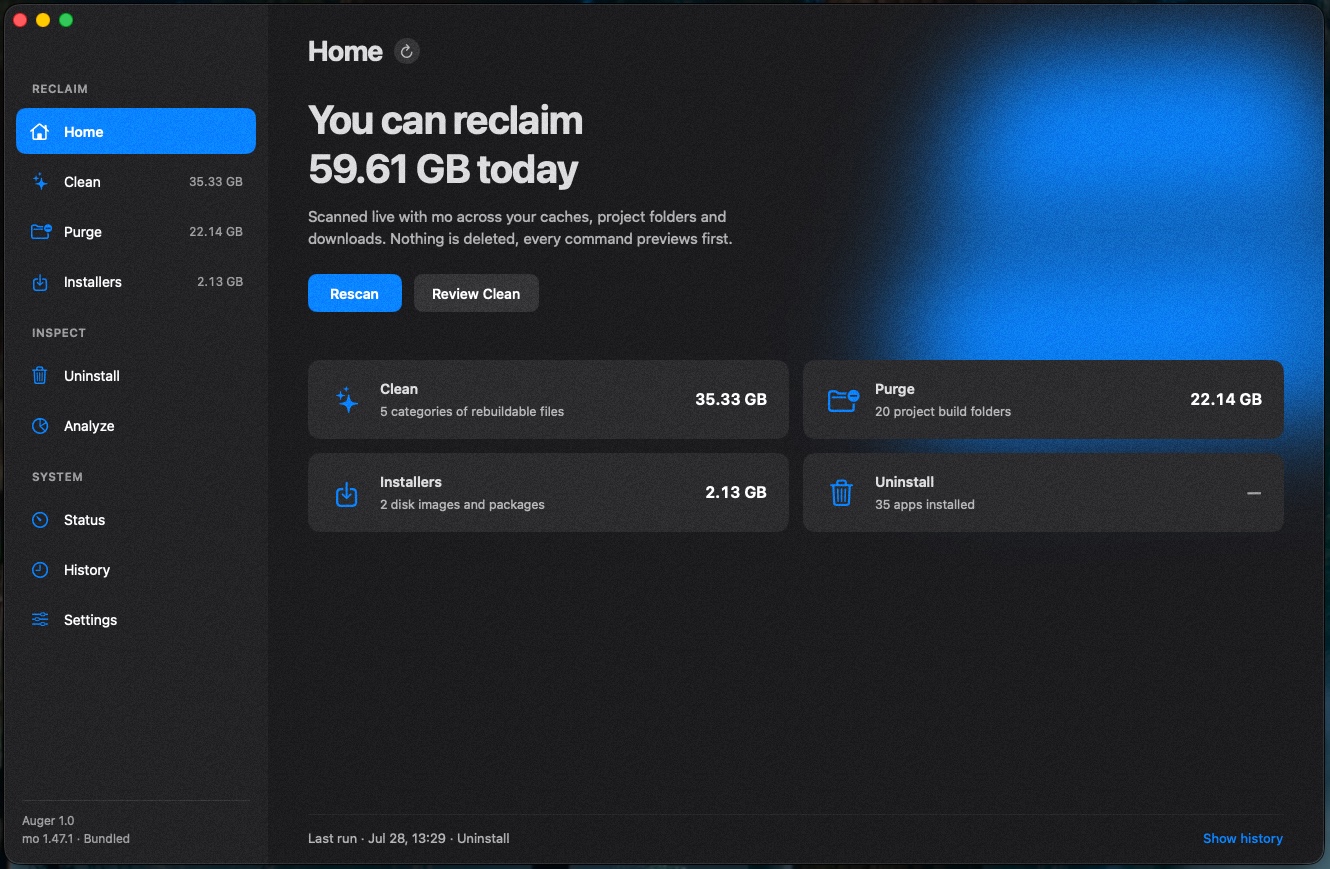
Clean
Caches, logs and build intermediates that macOS rebuilds on its own. Auger groups them by category with an exact size, and only touches what you tick.
- Xcode DerivedData, device support & simulators
- App caches, system logs, package caches
- Protected paths are skipped automatically
Purge
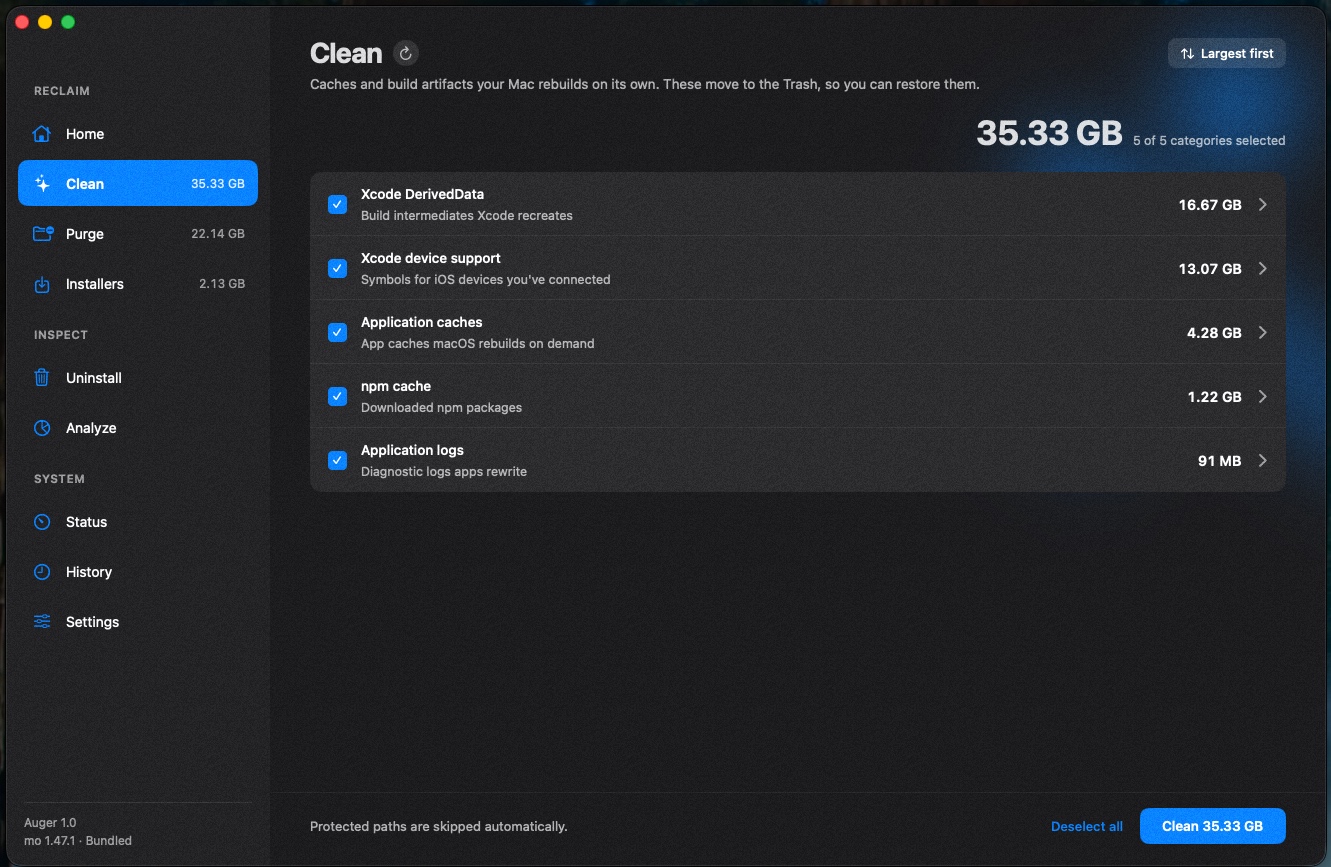
Find node_modules, target, .next and other build output scattered across your project folders. Your next build recreates them. Auger just gives the space back now.
- Scans your dev roots, sizes folders in parallel
- Anything touched this week is flagged, left unticked
Uninstall
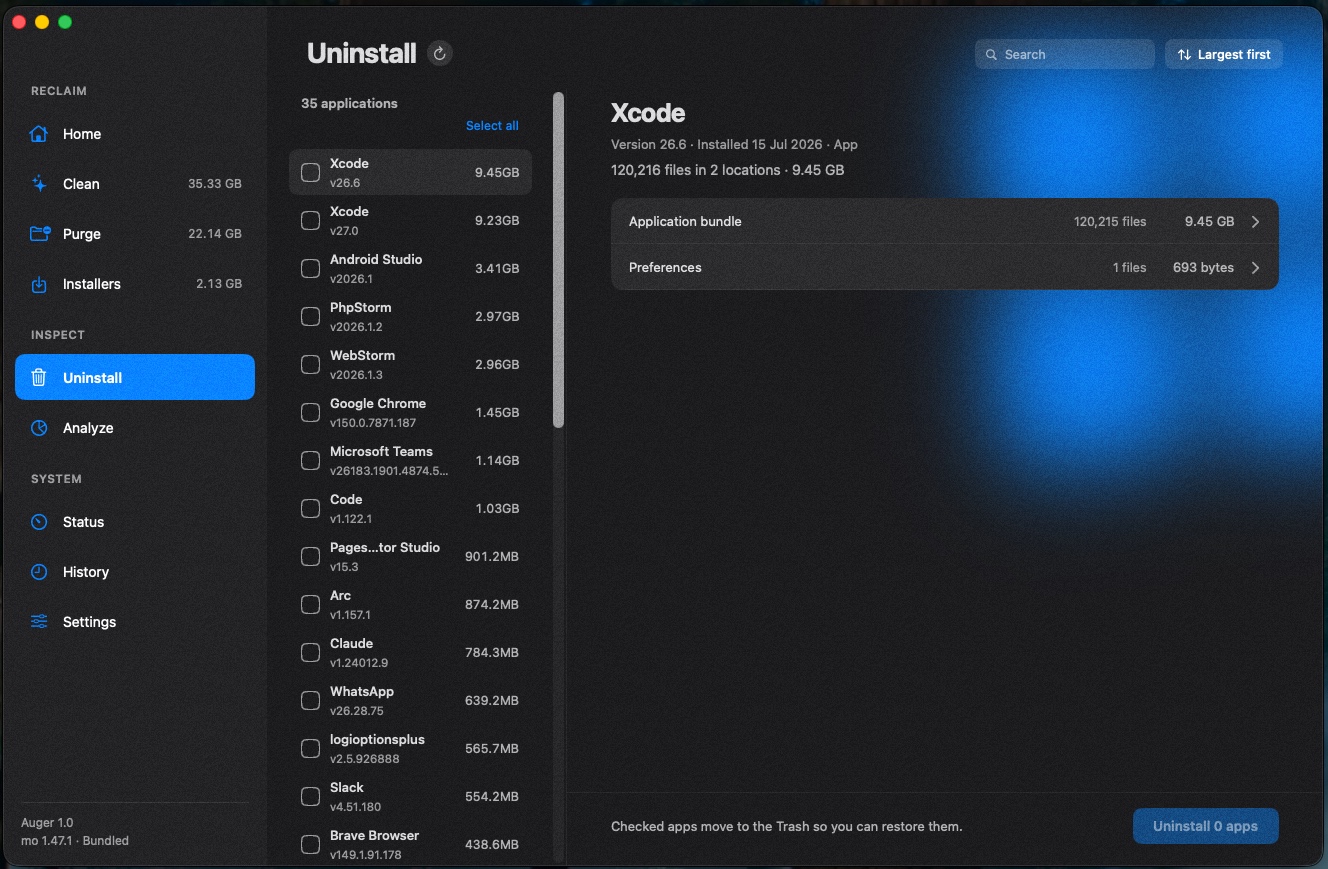
Remove an app andevery leftover it hides in Application Support, caches and preferences, not just the icon. See each app's version, install date and total footprint before it goes.
- Finds residue across every location
- Select many, remove in one pass
Analyze
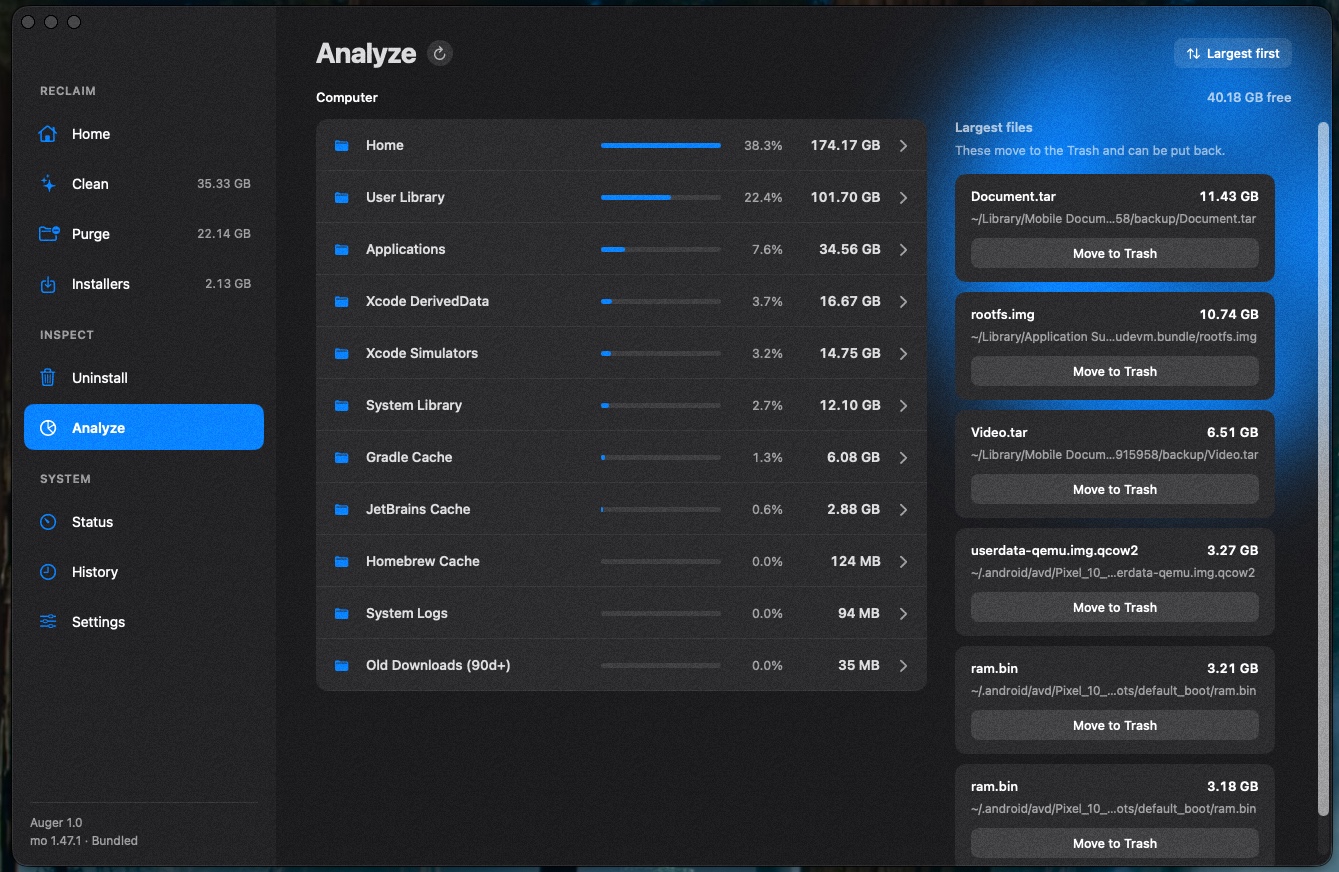
See exactly where your space goes, largest first. A whole-disk breakdown by folder, plus the biggest individual files, ready to move to the Trash on the spot.
- Whole-disk breakdown & biggest files
- Drill into any folder to see what's inside
Monitor from the menu bar
Keep an eye on your Mac without opening the app. A live summary of reclaimable space, disk usage, memory and CPU, one click away, with a one-tap Empty Trash.
- Reclaimable, in-use and free space at a glance
- Live memory, CPU and swap
Scan. Review. Reclaim.
Auger never touches a file on its own. You start every scan, and you see everything before it moves.
Scan on your terms
Nothing runs at launch. Hit Scan on any page and Auger looks through the places space hides. It's read-only, nothing changes yet.
Review the preview
Every item is listed with an exact size and grouped by category. Tick what you want; shift-click to select a whole range.
Reclaim, safely
Selected items move to the Trash. Your Mac rebuilds what it needs, and you can restore anything that surprises you.

Get your space back.
Free download. Universal binary for macOS 15 or later.